
If you’ve just got your Astroai air compressor or are thinking about using one, you might wonder how to get the best results without any hassle. Whether you want to inflate your car tires, sports gear, or bike, knowing the right steps can save you time and avoid frustration.
In this guide, you’ll discover simple, clear instructions that anyone can follow. By the end, you’ll feel confident using your Astroai air compressor like a pro—and keep your gear ready to go whenever you need it. Keep reading to unlock the full potential of your tool!

Credit: www.youtube.com
Getting Started With Astroai
Getting started with the Astroai air compressor is simple. This guide helps you set up your new tool quickly. You will learn how to unbox it, understand its main features, and follow safety steps. This makes your first use smooth and safe.
Unboxing And Initial Setup
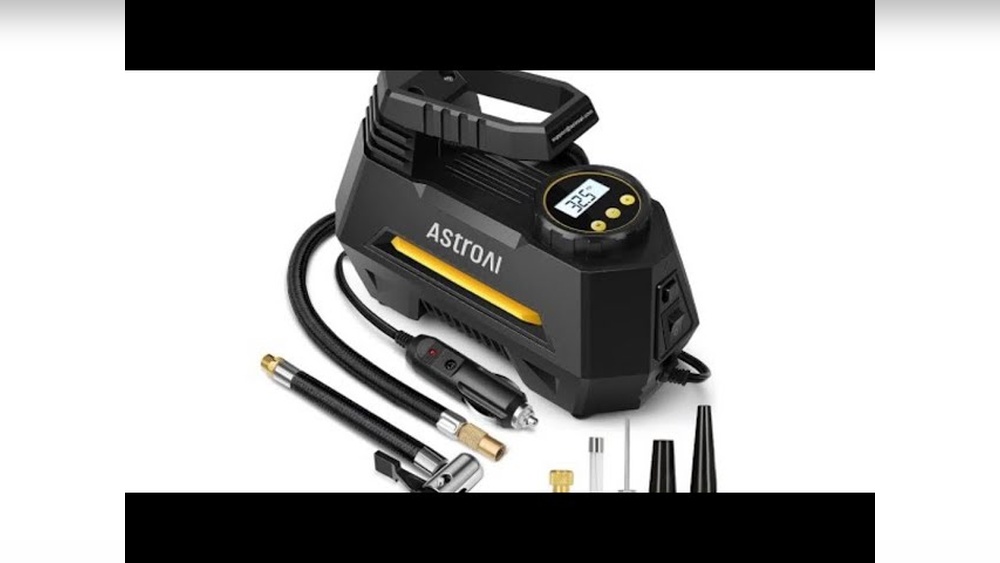
Open the box carefully. Inside, you will find the air compressor, power cord, and user manual. Check all parts for any damage before use. Connect the power cord to a suitable outlet. Attach the air hose firmly to the compressor. Set the desired pressure using the gauge. Your compressor is now ready for use.
Key Features To Know
The Astroai air compressor has a digital pressure gauge. It shows accurate air pressure readings. The device has an automatic shutoff feature. This stops the compressor when the set pressure is reached. It has a compact design for easy storage. The handle makes it easy to carry. These features help you work efficiently.
Safety Precautions
Always wear safety glasses when operating the compressor. Keep the device away from children. Do not use the compressor near water. Avoid over-inflating tires or objects. Unplug the compressor when not in use. Allow it to cool down after long use. Follow these rules to stay safe.
Preparing The Compressor
Preparing the Astroai air compressor is the first step for smooth operation. Proper preparation ensures safety and efficiency. Take your time to set up the compressor correctly before use.
Checking Power And Battery
Start by checking the power source of the compressor. If it is battery-operated, ensure the battery is fully charged. For corded models, plug the compressor into a suitable outlet. Avoid using damaged cords or loose connections. Confirm the power switch is off before plugging in.
Attaching The Air Hose
Next, connect the air hose securely to the compressor. Align the hose fitting with the compressor outlet. Push and twist to lock the hose in place. Check for any leaks around the connection. A tight fit prevents air loss during use.
Selecting The Right Nozzle
Choose the correct nozzle for your task. Different nozzles fit various inflating needs, like tires or sports balls. Attach the nozzle firmly to the hose end. Using the right nozzle improves performance and protects the valve.
Operating The Compressor
Operating the Astroai Air Compressor is simple and straightforward. This section guides you through the key steps for proper use. Follow these instructions for safe and efficient inflation.
Setting Desired Pressure
Start by selecting the correct pressure for your task. Use the digital display to set the target PSI. Adjust the settings with the plus and minus buttons. Check the recommended pressure on your tire or object.
Turning The Device On
Connect the compressor to a power source. Press the power button to switch it on. The compressor will beep or light up, confirming it is ready. Attach the hose securely to the valve before starting.
Monitoring Inflation Process
Watch the pressure gauge closely during inflation. The compressor will stop automatically at the set pressure. Avoid leaving the device unattended. Remove the hose carefully after inflation is complete.
Maintaining Optimal Performance
Maintaining your Astroai Air Compressor is key to keeping it working well. Regular care helps the device last longer. It also ensures it runs smoothly every time you use it. Follow simple steps to keep your compressor in top shape.
Cleaning And Storage Tips
Always clean the compressor after use. Wipe the outside with a dry cloth. Avoid using water or harsh chemicals. Store the device in a dry place. Keep it away from dust and moisture. Proper storage prevents damage and rust.
Battery Care And Charging
Charge the battery fully before first use. Use the charger that comes with the compressor. Do not overcharge or leave it plugged in too long. Store the battery in a cool, dry place. Charge the battery regularly, even if not in use.
Troubleshooting Common Issues
If the compressor does not start, check the battery charge. Make sure all connections are tight and secure. Clear any dust or debris from the air intake. If it stops during use, let it cool down. Follow the user manual for other problems.
Maximizing Efficiency
Maximizing efficiency with the Astroai Air Compressor saves time and effort. Knowing how to use it for different tasks helps you get the best results. The right approach makes every inflation job easier and faster.
Focus on the type of tire or object you are inflating. Adjust settings and follow simple steps. This approach prevents overinflation or damage. Small tricks can reduce waiting time and improve accuracy.
Using The Compressor For Different Tires
Check tire size before inflating. Adjust the pressure setting based on tire type. Use the preset function if available for quick setup. Car tires need higher pressure than bike tires. For motorcycle tires, set pressure between car and bike levels. Keep an eye on the pressure gauge during inflation. Stop when reaching the recommended pressure. This prevents overinflation and tire damage.
Inflating Other Objects
The compressor is not just for tires. Use it to inflate sports balls, air mattresses, and pool toys. Attach the correct nozzle for each object. Inflate slowly to avoid bursting fragile items. Check pressure often for items with recommended limits. Clean nozzles after use to keep them in good condition.
Time-saving Tips
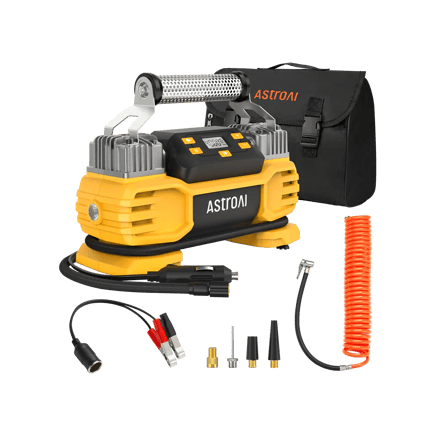
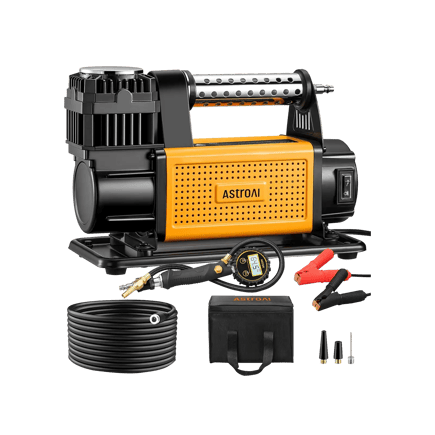
Prepare the compressor before starting. Connect the power source and check the hose for leaks. Use the right nozzle size to speed up inflation. Inflate multiple tires or objects back to back without unplugging. Keep the compressor close to the job to avoid stretching the hose. Store the compressor in an easy-to-reach place for quick access.
Credit: www.astroai.com
Credit: www.astroai.com
Frequently Asked Questions
How Do I Set Up The Astroai Air Compressor?
To set up, place the compressor on a flat surface. Connect the air hose securely. Plug it into a power source. Turn on the power switch. Check the pressure gauge before use. Follow safety guidelines in the manual.
What Is The Max Pressure Of Astroai Air Compressor?
The Astroai air compressor typically reaches a maximum pressure of 150 PSI. This is sufficient for inflating tires, sports equipment, and small inflatables. Always monitor the pressure gauge to avoid over-inflation and ensure safety.
How To Maintain The Astroai Air Compressor?
Regularly clean the air filter and check hoses for leaks. Store the compressor in a dry place. Avoid overworking the motor by following duty cycle guidelines. Regular maintenance extends the compressor’s lifespan and ensures optimal performance.
Can I Use Astroai Air Compressor For Car Tires?
Yes, the Astroai air compressor is ideal for car tires. It quickly inflates tires up to 150 PSI. Ensure your tire valve is compatible. Monitor the pressure gauge to reach the recommended tire pressure.
Conclusion
Using the Astroai Air Compressor is simple and safe. Follow the steps carefully for best results. Keep the device clean and check it often. This tool helps with many tasks around the home or car. Practice a few times to feel confident using it.
Remember, safety comes first every time you work. With regular use, your projects will be easier and faster. Trust the process and enjoy the benefits of your air compressor.